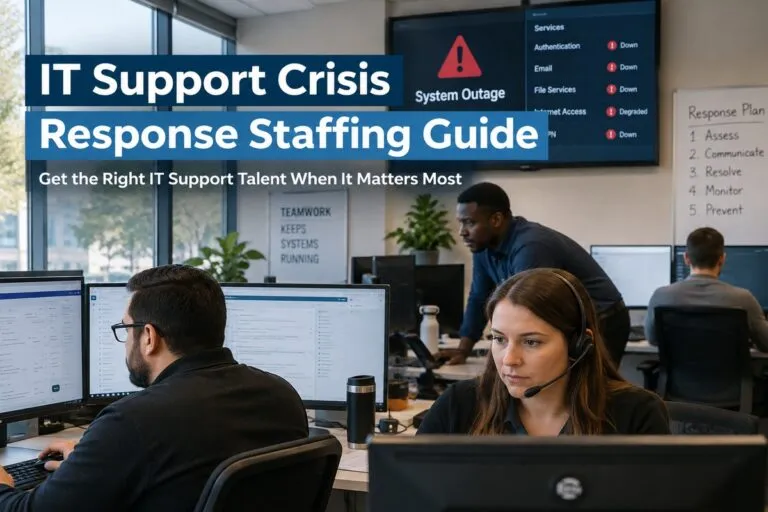
IT support crisis response staffing requires a different hiring strategy than routine help desk recruiting because organizations need technical professionals who can stabilize operations, handle elevated ticket volumes, and support employees while business disruption is actively occurring. For hiring managers and HR teams, having a clear staffing plan can significantly reduce the time between identifying a support shortage and getting qualified IT support professionals into critical positions.
Whether the pressure comes from a system migration, unexpected turnover, a major outage, rapid company growth, security remediation, or an overloaded service desk, the staffing decisions made during the response can affect ticket backlogs, employee productivity, escalation rates, and recovery timelines.
Identifying the Staffing Gap During an IT Support Crisis
Before opening positions, hiring teams should determine exactly where additional support capacity is needed. Simply adding more people to an overwhelmed IT department does not necessarily solve the underlying staffing problem.
Review current ticket volume, unresolved tickets, escalation patterns, support coverage, and the technical skills required for the most common incidents. This can help determine whether the organization needs additional Tier 1 support, experienced Tier 2 technicians, desktop support specialists, or more specialized personnel.
Important areas to evaluate include:
- Current ticket backlog and average resolution time
- Number of users supported per technician
- Tier 1 versus Tier 2 ticket volume
- After-hours and weekend coverage requirements
- Geographic locations requiring onsite support
- Remote employee support volume
- Hardware deployment and replacement workloads
- Microsoft 365 and identity-related support needs
- Active Directory and account administration requirements
- Network connectivity incidents
- Escalations requiring advanced troubleshooting
A clearly defined staffing gap gives recruiters a much better target. Instead of searching broadly for “IT support,” the hiring team can focus on candidates whose experience matches the immediate workload.
Prioritizing IT Support Roles During a Crisis
Not every vacancy carries the same operational risk. Hiring managers should prioritize positions according to how directly they affect service restoration and employee productivity.
Help Desk and Tier 1 Support
Tier 1 professionals can absorb high volumes of password resets, account access requests, software questions, hardware issues, and basic troubleshooting tickets.
Adding capable Tier 1 staff can also protect senior technicians from spending too much time on routine issues. This gives Tier 2 and infrastructure personnel more capacity to address complicated incidents.
Tier 2 IT Support
Tier 2 technicians become especially important when the support environment is experiencing a high volume of escalations.
Depending on the organization, these professionals may troubleshoot operating systems, Microsoft 365, Active Directory, VPN connectivity, endpoint problems, application failures, permissions, hardware, and networking issues.
During crisis response staffing, previous troubleshooting depth should carry significant weight. A candidate who can independently diagnose problems may become productive faster than someone who requires extensive escalation support.
Desktop Support Technicians
Desktop support professionals can be critical when the disruption involves physical equipment, office locations, workstation deployments, hardware replacements, or users who require hands-on assistance.
Organizations managing office moves, hardware refreshes, return-to-office initiatives, or large equipment failures may need stronger onsite support even when their remote help desk is adequately staffed.
Define the Technical Requirements Before Recruiting
An urgent opening should still have a precise technical profile. Vague job descriptions can generate a large applicant pool without producing enough qualified candidates.
Hiring managers should separate required technical skills from preferred experience.
For example, an IT support position might require Windows 11 troubleshooting, Microsoft 365 administration, Active Directory, Entra ID, ticketing systems, VPN support, and endpoint troubleshooting. Experience with a particular hardware manufacturer or secondary application may be preferred rather than mandatory.
Match Requirements to the Actual Environment
The job requirements should reflect the technology employees will support from their first weeks in the position.
Consider documenting:
- Supported Windows, macOS, or Linux environments
- Microsoft 365 responsibilities
- Active Directory and Entra ID responsibilities
- Endpoint management platforms
- Ticketing and ITSM systems
- Remote support tools
- VPN technologies
- Hardware supported
- Mobile device support requirements
- Networking responsibilities
- Required onsite availability
- Expected escalation responsibilities
This information helps recruiters screen for relevant experience rather than relying heavily on job titles, which can vary considerably between companies.
Speed Up IT Support Hiring Without Lowering Standards
During an IT support staffing crisis, hiring delays can compound operational problems. At the same time, lowering technical standards simply to fill seats can create additional escalations and increase the workload placed on experienced employees.
The better approach is to remove unnecessary delays from the hiring process.
Reduce Interview Stages
An IT support candidate generally should not need to complete four or five separate interviews before a hiring decision can be made.
For many direct hire IT support roles, organizations can use a streamlined process consisting of an initial candidate qualification, technical interview, hiring manager interview, and final decision.
Some of these steps can be combined.
Establish Interview Availability in Advance
One common source of recruiting delays is scheduling.
Before qualified candidates enter the pipeline, determine who must participate in interviews and reserve interview availability. This prevents strong candidates from waiting several days while the hiring team coordinates calendars.
Make Feedback Immediate
Interview feedback should be collected quickly.
When hiring managers wait several days to decide whether a candidate should advance, that candidate may already be interviewing with other employers. Crisis response staffing works best when decision-making responsibilities are established before recruiting begins.
Screen IT Support Candidates for Troubleshooting Ability
Technical keywords on a resume are useful, but they do not always reveal how effectively someone can troubleshoot.
Scenario-based questions can help hiring managers understand how candidates approach unfamiliar problems.
Instead of only asking whether someone has Active Directory experience, ask how they would investigate a user who suddenly cannot authenticate. Instead of simply confirming VPN experience, ask how they would isolate whether a connection problem originates with the endpoint, credentials, network, VPN client, or corporate environment.
Strong troubleshooting candidates should be able to explain their process logically.
Evaluate Communication Alongside Technical Skills
IT support professionals regularly work with users who may be frustrated, confused, or unable to describe a technical issue accurately.
Candidates should be able to translate technical information into understandable instructions while gathering enough information to diagnose the problem.
This becomes especially important during an IT support crisis because users may already be experiencing delays or disruptions.
Build Coverage Around the Actual Support Demand
Headcount alone does not determine whether an IT support team has enough coverage.
Five technicians working the same schedule may not solve a problem if incidents are concentrated outside that window or spread across multiple locations and time zones.
Review when and where support demand occurs.
Account for Peak Ticket Periods
Ticket data can reveal patterns that should influence staffing decisions.
Monday mornings, new employee onboarding days, software deployments, patch cycles, office openings, and major system changes can produce predictable increases in support requests.
Staffing schedules should account for those periods instead of distributing coverage evenly simply because it is administratively easier.
Consider Onsite and Remote Requirements Separately
Remote support technicians can resolve many incidents, but they cannot physically replace a failed laptop, reconnect equipment, inspect a workstation, or troubleshoot certain office connectivity problems.
Hiring plans should identify how much onsite coverage each location requires and which problems can be handled centrally.
Prevent Tier 2 Staff From Becoming the Default Help Desk
One warning sign during an IT support crisis is a growing number of routine tickets reaching Tier 2 employees.
When experienced technicians spend large portions of their day handling password resets, basic application questions, and straightforward hardware issues, they have less time available for complex troubleshooting.
Hiring additional Tier 1 support may therefore improve performance across the entire service desk.
Organizations should examine why tickets are escalating before assuming they need more senior technicians. The issue may be insufficient Tier 1 capacity, weak ticket routing, missing permissions, or a genuine shortage of Tier 2 expertise.
Create a Clear Escalation Structure
New IT support hires need to know where their responsibility ends and when an issue should be escalated.
A poorly defined escalation process can cause technicians to hold complicated tickets for too long or send routine problems to senior employees prematurely.
Document which issues belong with:
- Tier 1 help desk
- Tier 2 support
- Desktop support
- Systems administrators
- Network administrators
- Security teams
- Application owners
- Third-party vendors
Clear ownership becomes particularly valuable when several IT support professionals are hired within a short period.
Prepare for Rapid Onboarding Before the Hire Starts
A strong candidate cannot help reduce a ticket backlog if the first several days are spent waiting for accounts, equipment, permissions, and documentation.
HR and IT should prepare onboarding requirements while recruiting is still underway.
Have Access Ready
Determine which systems the new hire will need and begin preparing the approval process.
This could include access to the ticketing system, knowledge base, Active Directory tools, Microsoft 365 administration, endpoint management systems, remote support platforms, communication tools, VPN systems, and internal documentation.
Give New Hires an Environment-Specific Support Guide
Even experienced IT professionals need information about the organization’s environment.
Useful onboarding documentation can include common ticket types, escalation contacts, supported hardware, naming conventions, major applications, known issues, priority definitions, service-level expectations, and procedures for high-impact incidents.
The objective is to shorten the time between the employee’s start date and independent ticket resolution.
Use Direct Hire Staffing When the Need Is Ongoing
Not every IT support crisis is temporary.
A large ticket backlog may expose an underlying staffing shortage that existed before the immediate disruption. Repeated overtime, persistent escalations, long resolution times, and chronic understaffing can indicate that additional permanent headcount is needed.
In those situations, direct hire IT staffing can help organizations recruit professionals who become permanent members of the internal team.
Direct hire can be particularly useful when organizations need:
- Permanent Tier 1 or Tier 2 IT support
- Desktop support technicians
- Help desk specialists
- IT support analysts
- Technical support specialists
- Professionals with specific enterprise technology experience
- Candidates who can support long-term internal systems and users
A specialized IT staffing agency can also expand candidate sourcing beyond applicants who happen to find a public job posting.
Work With Recruiters Who Understand IT Support Requirements
Crisis hiring becomes more difficult when recruiters cannot distinguish between basic technical familiarity and genuine support experience.
Recruiters handling IT support staffing should understand differences between Tier 1, Tier 2, desktop support, systems administration, networking, and other infrastructure responsibilities.
This allows candidate screening to focus on the actual requirements of the position.
For example, a resume containing Microsoft 365 does not automatically mean the candidate has administrative experience. Similarly, Active Directory experience could mean anything from basic password resets to more advanced account, group, permission, and policy responsibilities.
Technical recruiting should establish the depth of that experience before candidates reach the hiring manager.
Avoid Common Crisis Staffing Mistakes
Urgency can create hiring shortcuts that ultimately slow down the recovery process.
Several mistakes are particularly important to avoid:
- Posting overly broad IT job descriptions
- Requiring technologies that employees will rarely use
- Treating every preferred skill as mandatory
- Adding unnecessary interview stages
- Waiting too long to provide candidate feedback
- Hiring only by job title rather than technical experience
- Ignoring communication and customer support skills
- Failing to distinguish Tier 1 and Tier 2 responsibilities
- Underestimating onsite support requirements
- Waiting until after the hire to prepare system access
- Filling permanent staffing gaps with repeated short-term fixes
An effective IT support crisis response staffing plan balances urgency with precision. The goal is not simply to hire quickly. It is to identify the technical workload, determine the right support level, find candidates with relevant troubleshooting experience, and move qualified professionals through the hiring process efficiently.
For hiring managers and HR teams, the strongest response starts with understanding where support capacity is failing. From there, organizations can prioritize critical IT support roles, streamline interviews, improve technical screening, prepare onboarding resources, and establish the coverage needed to reduce ticket backlogs and restore dependable user support.
When the shortage represents an ongoing need rather than a temporary spike, direct hire IT support staffing can provide a more sustainable solution. Tier2Tek specializes in direct hire staffing for IT Support and technical roles, helping employers connect with candidates whose experience aligns with their technology environment, support requirements, and long-term hiring needs.