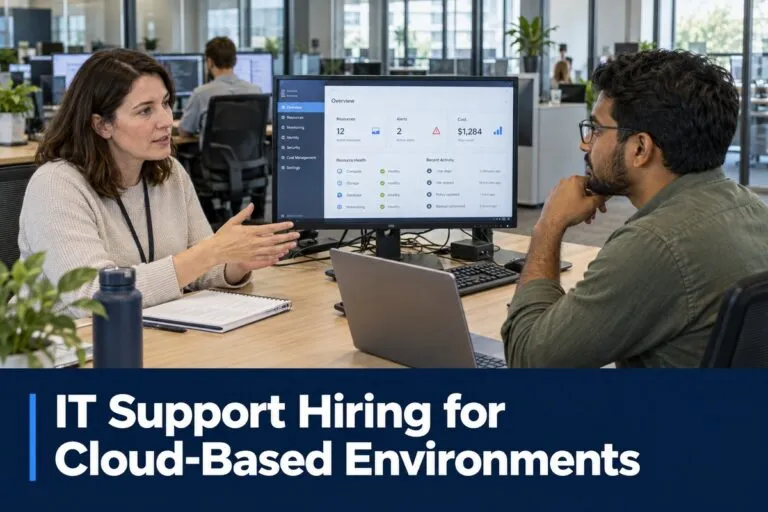
IT support hiring for cloud-based environments requires a clear understanding of how candidates troubleshoot cloud applications, manage user access, and support employees across different locations. For hiring managers and HR teams, the strongest hiring decisions connect technical requirements to the problems employees actually encounter.
A candidate may have years of desktop support experience but limited exposure to cloud administration. Another may hold cloud certifications without having managed a busy service desk. Identifying the right match means looking closely at hands-on experience, security judgment, communication, and ownership of support issues.
Define the Cloud Support Work Before Opening the Position
Start by reviewing your support workload. Examine recent tickets, recurring escalations, employee onboarding requests, and incidents that required help from outside vendors.
Use that information to identify what the new hire should resolve independently. This gives recruiters a more useful target than a general requirement for “cloud experience.”
Match Requirements to Your Technology Stack
Build the job description around the systems the employee will actually support. Depending on your environment, relevant experience may include:
- Productivity platforms: Microsoft 365 or Google Workspace.
- Identity systems: Microsoft Entra ID, Okta, or another identity provider.
- Device management: Microsoft Intune, Jamf, or comparable endpoint tools.
- Cloud applications: Business software accessed through browsers or desktop clients.
- Remote access: Virtual desktops, VPN connections, and remote support software.
- Service management: Ticketing systems, knowledge bases, and escalation workflows.
Separate essential experience from skills that can be developed during onboarding. Requiring every platform listed in your environment can unnecessarily narrow the candidate pool.
Set Clear Support Boundaries
Specify whether the position handles first-contact troubleshooting, advanced escalations, or administrative changes. Titles such as IT support specialist and support engineer can represent very different responsibilities across employers.
Clarify who owns identity policies, network configuration, cloud infrastructure, and security incidents. Candidates should know which decisions they can make and when they must involve another team.
Prioritize Identity and Access Troubleshooting Skills
Access problems deserve particular attention during cloud support recruiting. A user who cannot open an application may have a password issue, an incorrect group assignment, a missing license, or a device that does not meet access requirements.
Look for candidates who investigate these possibilities systematically. Repeated password resets without examining the underlying cause can leave the employee blocked and generate additional tickets.
Microsoft’s shared responsibility guidance identifies user accounts and access management as customer responsibilities, even when services run in the cloud. This makes identity support an important hiring consideration for organizations using cloud applications.
Evaluate Account Lifecycle Experience
Ask candidates to explain how they have handled employees joining, changing departments, and leaving an organization.
Relevant experience includes:
- Creating accounts through approved provisioning processes.
- Assigning application access based on job requirements.
- Troubleshooting single sign-on and multifactor authentication.
- Updating access when employees change responsibilities.
- Removing access according to approved offboarding procedures.
- Documenting changes and obtaining required approvals.
Strong candidates should explain how they verify identity before resetting credentials or authentication methods. They should also recognize when an unusual access request needs escalation.
Assess Cloud Troubleshooting Beyond Basic Help Desk Tasks
Cloud application issues can involve the user’s device, browser, network connection, identity provider, application configuration, or the provider’s service. Effective support requires narrowing the problem before making changes.
During interviews, ask candidates what evidence they collect first. Useful answers include the exact error, when the problem started, who is affected, recent changes, and whether the issue occurs across multiple devices or networks.
Look for a Structured Diagnostic Process
A capable cloud support professional should be comfortable:
- Determining whether an incident affects one user or a wider group.
- Checking service health information and known incidents.
- Comparing browser access with desktop application behavior.
- Reviewing relevant logs within their assigned permissions.
- Investigating DNS, connectivity, and proxy-related symptoms.
- Recording troubleshooting steps so another technician can continue the work.
Listen for an explanation of why each check matters. A candidate who can connect evidence to the next step provides a clearer picture of their ability than someone who simply names tools.
Check Vendor Escalation Experience
Some incidents require the software provider to investigate. Ask candidates what they include when opening a vendor support case.
A useful escalation contains business impact, affected users, timestamps, error messages, and steps already attempted. Candidates should also explain how they protect sensitive information when sharing logs or screenshots.
Write a Job Description That Attracts Relevant Candidates
An effective IT support job description describes the environment and expected outcomes. Broad phrases such as “manage all IT needs” leave candidates guessing about workload and seniority.
State the approximate user population, supported locations, operating systems, major applications, and support hours. Explain whether the position is remote, hybrid, or onsite and whether it includes scheduled on-call coverage.
Separate Required and Preferred Qualifications
Required qualifications should reflect work the employee must perform soon after joining. Examples might include independent Microsoft 365 troubleshooting, identity verification during account recovery, and clear ticket documentation.
Preferred qualifications can cover secondary platforms, scripting, or experience supporting a similar industry. Certifications can provide supporting evidence, but ask candidates to connect their knowledge to actual incidents they have resolved.
Use a recognizable title, such as IT Support Specialist, Service Desk Analyst, or Desktop Support Technician. Add cloud-related responsibilities in the description so applicants can judge the opportunity accurately.
Use Practical Interviews to Verify Cloud Support Experience
A structured interview helps hiring managers compare candidates using the same evidence. Choose scenarios drawn from your environment, remove confidential details, and give each applicant the same starting information.
Ask candidates to explain their reasoning aloud. The objective is to understand their investigation, communication, and judgment.
Scenario: A User Cannot Access a Cloud Application
Present a case in which an employee can access email but cannot sign in to another business application.
A strong candidate should investigate the scope, exact error, application assignment, account status, and authentication behavior. They should distinguish between successful authentication and permission to use the application.
Be cautious if the first proposed action is to grant broad administrative access or disable security controls.
Scenario: Several Employees Report Slow Performance
Ask how the candidate would investigate a cloud application that becomes slow for employees in one office.
Look for comparisons across locations, networks, and access methods. The candidate should consider service health and local connectivity without assuming the provider is responsible.
Also ask how they would communicate while the cause remains uncertain. Useful updates explain the known impact, current investigation, and next update time without promising an unsupported resolution deadline.
Include a Short Documentation Exercise
Have candidates write a sample ticket update based on one scenario. Keep the task brief and directly relevant to the job.
Evaluate whether another technician could understand the issue, actions taken, findings, and next step. This helps HR and technical interviewers assess communication using a concrete work sample.
Use Salary Data to Build a Realistic Hiring Budget
Compensation should reflect the position’s responsibilities, location, schedule, and required independence. National figures provide a starting point, but they do not establish a dedicated salary range for cloud support positions.
National IT Support Salary Benchmarks
According to the U.S. Bureau of Labor Statistics, median annual wages in May 2025 were:
- Computer user support specialists: $61,860.
- Computer network support specialists: $76,220.
These figures cover broad occupational groups across industries and experience levels. They are not cloud-specific compensation estimates.
When setting your range, account for responsibilities such as advanced identity troubleshooting, endpoint administration, scripting, and escalation ownership. A position combining several of these duties warrants comparison with jobs that have similar scope.
Assess Workload Before Deciding Headcount
Review ticket volume alongside complexity, handling time, coverage needs, and onboarding demand. A user-to-technician ratio alone may overlook substantial administrative work.
For example, frequent hiring can generate account provisioning, device preparation, application assignments, and first-day support. Include these activities when estimating the capacity your new hire must provide.
Align Direct-Hire Recruiting With Long-Term Support Needs
Direct-hire IT staffing should evaluate how a candidate will work within your organization after the initial vacancy is filled. Discuss the balance between reactive tickets, scheduled administration, and recurring problem investigation.
Give candidates an accurate picture of available documentation, escalation support, and workload. Clear expectations help both sides assess whether the position is a sustainable match.
When working with an IT support staffing agency, provide a focused hiring brief that includes:
- The primary cloud platforms and identity systems.
- The most common issues the employee will handle.
- Required administrative responsibilities.
- Support hours and location requirements.
- Compensation range and interview process.
- Expected results during the first 90 days.
Establish Clear Expectations for the First 90 Days
Plan onboarding before the employee starts. Provide approved access, support procedures, escalation contacts, and documentation for common cloud application issues.
During the first month, prioritize safe handling of routine requests and familiarity with your environment. As the employee gains context, expand responsibility based on demonstrated capability.
Measure performance through a balanced set of indicators, including resolution quality, reopened tickets, documentation, user feedback, and appropriate escalation. Ticket closure counts alone provide limited insight into whether problems were resolved correctly.
Successful IT support hiring for cloud-based environments starts with a specific understanding of the work. When hiring managers define the scope, test realistic scenarios, and align compensation with responsibility, they can make better-informed decisions about candidates.
Tier2Tek Staffing provides direct-hire recruiting for IT support positions. Share your cloud environment, technical requirements, and hiring priorities to begin identifying professionals suited to your team.
Content reviewed and published by Tier2Tek Staffing Editorial Team.