
How to beat Applicant Tracking Systems (ATS) for job seekers starts with understanding how resumes are actually evaluated before a human ever sees them. Many qualified candidates are rejected not because of lack of skills, but because their resumes are not optimized for ATS screening. Recruiters rely on these systems to filter, rank, and organize applicants, making ATS optimization a critical part of any modern job search strategy.
This article focuses entirely on practical, proven methods job seekers can use to increase resume visibility, pass automated screenings, and improve interview callbacks.
Optimize Your Resume Structure for ATS Parsing
ATS software reads resumes differently than people do. Clean structure and predictable formatting significantly improve how information is extracted and ranked.
Use Standard Headings and Layouts
ATS systems are trained to recognize conventional resume sections. Creative labels may look impressive to humans but often confuse automated systems.
Use standard headings such as:
- Professional Summary
- Work Experience
- Skills
- Education
- Certifications
Avoid placing critical information in headers, footers, text boxes, or tables. According to guidance from the Society for Human Resource Management, many ATS platforms struggle to parse complex formatting accurately.
Stick to Simple Fonts and Formatting
Choose ATS friendly fonts like Arial, Calibri, Helvetica, or Times New Roman. Use a font size between 10.5 and 12 points for body text.
Avoid:
- Graphics or icons
- Columns created with tables
- Special characters or symbols
- Underlining or excessive bolding
Simple formatting ensures the system reads your content exactly as intended.
Master Keyword Optimization Without Keyword Stuffing
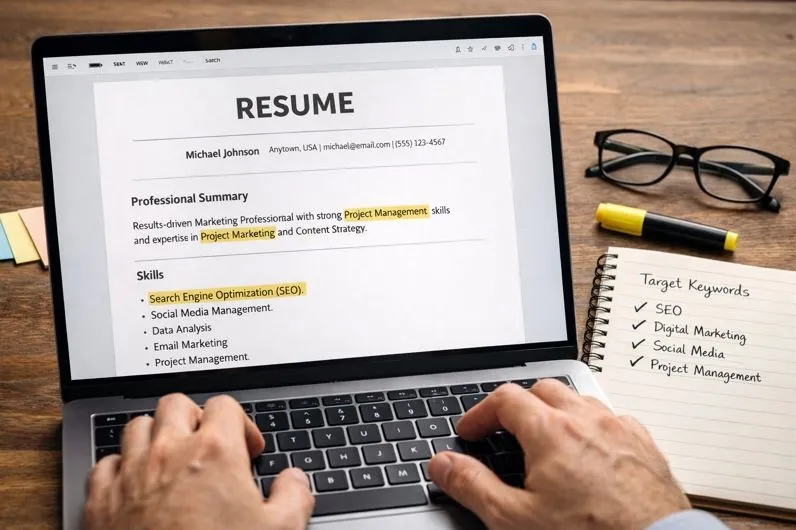
Keywords are one of the most important ranking factors in Applicant Tracking Systems. ATS software compares resume content against the job description to determine relevance.
Extract Keywords from Job Descriptions
Every job posting contains valuable keyword data. Focus on:
- Required skills
- Job titles
- Tools and technologies
- Certifications
- Action verbs
Mirror the employer’s language when it accurately reflects your experience. For example, if the job description says “data analysis,” use that phrase instead of “data review” if both are truthful.
A study cited by Jobscan confirms that resumes closely matching job description keywords are significantly more likely to pass ATS filters.
Place Keywords Strategically
Keywords should appear naturally in:
- Professional summary
- Skills section
- Work experience bullet points
Avoid keyword stuffing. ATS systems increasingly detect unnatural repetition and may rank such resumes lower.
Write Bullet Points That Rank and Convert
Bullet points should balance ATS optimization with human readability. Strong bullets include keywords, achievements, and measurable results.
Use Action Oriented Language
Start bullet points with clear action verbs such as:
- Managed
- Implemented
- Optimized
- Analyzed
- Developed
This structure helps ATS categorize experience correctly while appealing to recruiters.
Include Metrics When Possible
Quantified results improve relevance scoring and credibility.
Examples:
- Increased sales revenue by 25 percent within one year
- Reduced processing time by 40 percent through workflow optimization
- Managed a team of 10 cross functional staff members
According to recruiter research shared by LinkedIn, quantified achievements significantly increase recruiter engagement.
Build an ATS Friendly Skills Section

The skills section plays a major role in how ATS ranks resumes. Many systems use it as a primary filtering mechanism.
Separate Hard Skills and Soft Skills
List hard skills clearly and concisely, as these are more likely to be keyword matched.
Examples of hard skills:
- Project management
- SQL
- Python
- Adobe Creative Suite
- Salesforce CRM
Soft skills can be integrated into work experience bullets rather than listed in isolation.
Match Skill Variations
If relevant, include both spelled out and abbreviated versions of key skills.
Example:
- Search Engine Optimization (SEO)
- Customer Relationship Management (CRM)
This ensures coverage across different ATS algorithms and recruiter search habits.
Tailor Every Resume Submission
Submitting the same resume to every job posting is one of the most common ATS mistakes. Customization dramatically improves success rates.
Align Job Titles Thoughtfully
If your official job title differs from the industry standard used in the job posting, include both where appropriate.
Example:
Senior Marketing Specialist (Digital Marketing Manager equivalent)
This technique improves keyword alignment while maintaining accuracy.
Adjust the Summary for Each Role
Your professional summary should reflect the most relevant experience for each application. This section is often weighted heavily by ATS scoring algorithms.
Glassdoor hiring insights indicate tailored resumes receive more interview invitations than generic submissions.
Choose the Right File Type and Naming Convention
File format and naming conventions can affect ATS readability and recruiter perception.
Best File Formats for ATS
Unless otherwise specified, submit resumes as:
- .docx
- .pdf using standard text based formatting
Some older ATS platforms struggle with image based PDFs. When in doubt, use a Word document.
Use a Clear File Name
Name your file using a professional and searchable format:
FirstName_LastName_JobTitle_Resume
Avoid generic names like resume_final or resume_updated.
Avoid Common ATS Red Flags

Certain resume elements can trigger automatic rejection or misclassification.
Remove Unnecessary Content
Exclude:
- Photos
- Personal details such as age or marital status
- Irrelevant hobbies
- Salary expectations
These elements add no ATS value and can reduce parsing accuracy.
Do Not Over Optimize
Excessive repetition of keywords, invisible text, or copying entire job descriptions can cause ATS systems to flag your resume as spam.
Harvard Business Review notes that ethical optimization focused on clarity and relevance performs better than manipulation tactics.
Test Your Resume Before Submitting
Testing allows you to identify issues before employers do.
Use Resume Scanning Tools
Online resume scanners simulate ATS behavior and provide keyword match feedback. While not perfect, they can highlight gaps in alignment.
Pay attention to:
- Keyword match percentage
- Missing skills
- Formatting warnings
Proofread for Consistency
ATS systems may treat similar terms as different entries if spelling or formatting varies.
Ensure consistency in:
- Dates
- Job titles
- Skill names
- Acronyms
Understand Recruiter Workflow After ATS Screening
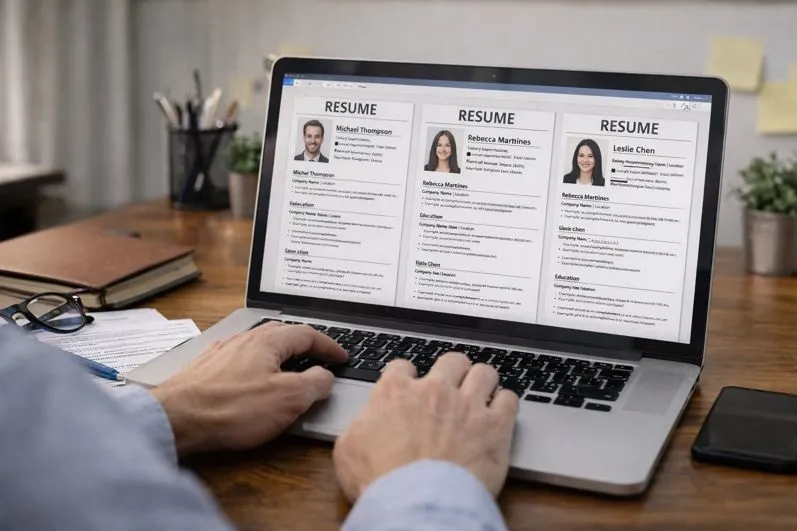
Passing ATS does not guarantee an interview. The resume must still appeal to human reviewers.
Optimize for Both Systems and People
Write clearly, avoid jargon overload, and ensure your resume tells a logical career story.
Recruiters often spend only a few seconds scanning each resume after ATS filtering. Clean layout and concise content improve engagement.
Keep It Relevant and Focused
Limit your resume to relevant experience, typically the last 10 to 15 years unless older roles are critical to the position.
Beating Applicant Tracking Systems is not about gaming software. It is about presenting your qualifications in a clear, structured, and searchable way that aligns with how employers evaluate candidates today. When resumes are formatted for ATS compatibility, enriched with relevant keywords, and tailored for each role, job seekers dramatically increase their chances of being seen, shortlisted, and invited to interview.
Content reviewed and published by Tier2Tek Staffing Editorial Team .