
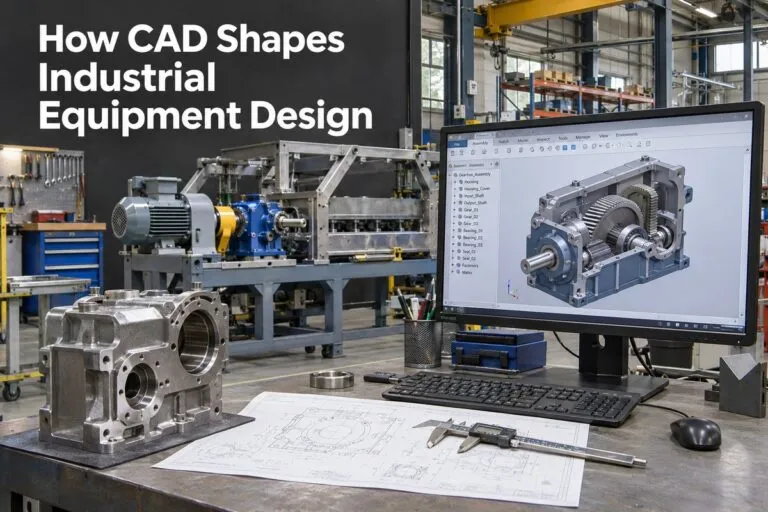
CAD shapes industrial equipment design at every step, from the first sketch to the final part on the shop floor. Computer-aided design gives engineers a clear picture of a machine before anyone cuts metal. For hiring managers and HR teams, knowing how CAD works in equipment design makes it easier to hire the right CAD designers and drafters.
Industrial equipment is big, complex, and expensive. A small mistake in a drawing can cost thousands of dollars. CAD helps teams catch those mistakes early.
How CAD Changes the Design Process
From Paper Drawings to 3D Models
Years ago, designers drew every part by hand on paper. AutoCAD arrived in 1982 and moved drawings onto computers. Today, most industrial equipment is built from 3D models.
A 3D model shows the whole machine in one view. Teams can spin it, zoom in, and look inside it.
Faster Design Changes
A change used to mean redrawing the whole sheet. Now a designer changes one number, and the model updates on its own.
This saves hours of work on every project. It also helps teams answer customer requests quickly.
Better Teamwork Between Departments
Engineers, drafters, and manufacturers can all work from the same file. Everyone sees the same design at the same time.
This cuts down on mix-ups. It also keeps projects on schedule.
Why Design Choices Matter So Much in Industrial Equipment
Early Decisions Lock In Cost
Many industry sources say that about 80% of a product’s cost is set during the design stage. That means the design desk is where most of the money is saved or lost.
CAD lets teams compare options before they commit. They can pick the best material, size, and shape with less guessing.
Safety Starts on the Screen
Industrial equipment can be dangerous when it fails. CAD helps designers check guards, supports, and moving parts before a machine is built.
Good CAD work helps companies meet safety rules and standards. It also protects workers.
Key CAD Tools Used in Equipment Design
3D Solid Modeling
Solid modeling builds parts as real objects with weight, size, and volume. Designers use it for frames, shafts, gears, housings, and brackets.
Popular programs include SolidWorks, Autodesk Inventor, and PTC Creo. Many hiring managers list these in job posts.
Simulation and Stress Testing
Many CAD programs include finite element analysis, often called FEA. This tool shows how a part reacts to force, heat, and vibration.
Designers can see weak spots on screen. They fix them before a prototype is made.
2D Drawings and Detail Sheets
Shop teams still need clear 2D drawings. These show sizes, tolerances, and notes for each part.
Most shops follow standards such as ASME Y14.5 for geometric dimensioning and tolerancing. A designer who knows these rules saves your team a lot of rework.
What CAD Improves in Industrial Equipment
Accuracy and Fit
CAD models are exact. Parts can be checked against each other to make sure they fit.
An assembly check can show if two parts hit each other. That problem is much cheaper to fix on screen than on the floor.
Fewer Prototypes
Teams that use CAD often need fewer physical test builds. Each prototype costs time and money.
Here is what companies often gain:
- Lower material waste
- Shorter design cycles
- Fewer change orders
- Smoother handoffs to manufacturing
Better Parts Lists and Documents
CAD can create a bill of materials from the model. This list shows every part, quantity, and material.
This helps purchasing teams order the right items. It also helps cut mistakes during assembly.
How CAD Connects to Manufacturing
Direct Links to CNC and 3D Printing
Many CAD files can be sent straight to CNC machines, laser cutters, and 3D printers. This keeps the design and the finished part closely matched.
It also speeds up custom work. Many equipment makers build one-of-a-kind machines, so this matters a lot.
Support for Maintenance and Repairs
Good CAD files stay useful after the machine is built. Service teams can use them to find parts and plan repairs.
Companies can also redesign worn parts without starting from zero.
What to Look for When Hiring a CAD Designer for Equipment Design
Skills That Matter
Not every CAD designer fits every shop. Industrial equipment work needs a specific set of skills.
Look for candidates with:
- Strong 3D modeling skills in your CAD software
- Knowledge of GD&T and drafting standards
- Experience with weldments, sheet metal, and machined parts
- Ability to read engineering notes and sketches
- Clear communication with engineers and shop teams
Questions to Ask in an Interview
Ask for a past project that went from sketch to finished part. Have the candidate explain what they changed and why.
You can also ask how they check a design for fit and safety. Their answer shows how careful they are.
Why Direct Hire Works Well for CAD Roles
CAD designers learn your products, your standards, and your habits over time. A long-term employee builds a library of knowledge that helps every new project.
That is why many companies choose direct hire over short contracts for key design seats. It builds a steady team that knows your equipment.
Common Mistakes in CAD for Industrial Equipment
Skipping Design Reviews
Even strong designers miss things. A second set of eyes catches errors before they reach the shop.
Set up a review step before any design is released.
Poor File Organization
Messy files cause confusion. Teams may build from an old version by mistake.
Use clear naming rules and a shared file system. This keeps everyone on the same page.
CAD gives industrial equipment makers speed, accuracy, and safer designs. The right CAD designer turns an idea into a machine that works well and lasts. If your team needs to fill a design seat, Tier2Tek offers direct hire staffing for CAD and IT Support roles and can help you find people who fit your shop.