
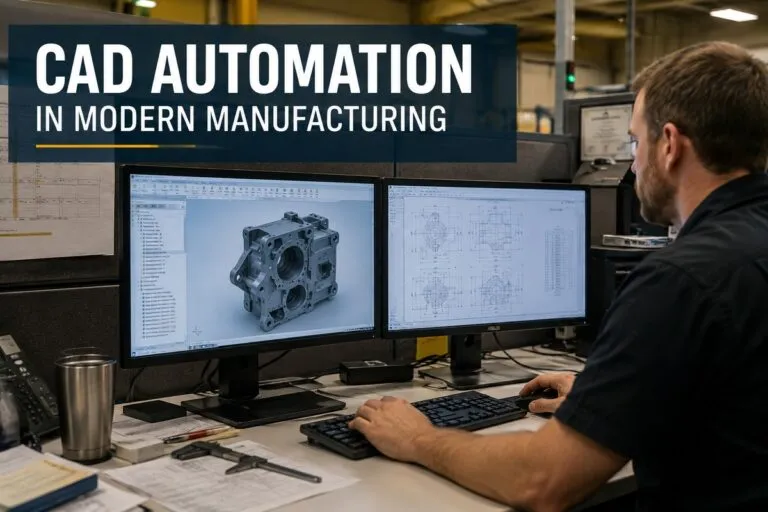
CAD automation in modern manufacturing is changing how engineering teams create designs, manage revisions, generate production documentation, and move products from concept to the shop floor. For hiring managers and HR teams supporting engineering organizations, increased CAD automation also affects the technical skills manufacturers need from CAD designers, drafters, engineers, application specialists, and IT support professionals.
Manufacturers are increasingly looking for ways to reduce repetitive CAD work while maintaining design accuracy and consistency. Automated workflows can handle routine design activities, standardize engineering documentation, improve data quality, and help technical teams spend more time addressing complex design and manufacturing requirements.
How CAD Automation Improves Manufacturing Workflows
CAD automation can remove repetitive steps from engineering and design workflows. Instead of manually recreating common components, updating drawings individually, or repeatedly entering the same design information, engineering teams can build processes that perform these tasks automatically.
The result is a more structured CAD environment where design information moves through the engineering process with fewer manual interventions.
Common applications include:
- Automated drawing creation and updates
- Parametric modeling and configurable designs
- Automatic part and assembly generation
- Bill of materials generation
- Drawing template standardization
- Automated dimensioning and annotation
- File naming and engineering data management
- Design validation and rule checking
- CAD data transfer between engineering and manufacturing systems
- Automated export of DXF, STEP, PDF, and other production files
For manufacturers producing large numbers of drawings or configurable products, even small reductions in repetitive CAD tasks can create meaningful efficiency improvements across an engineering department.
Parametric Design and Configurable Manufacturing
Using Design Parameters to Reduce Repetitive Modeling
Parametric CAD modeling allows dimensions, features, relationships, and other design characteristics to be controlled through predefined parameters. When a parameter changes, related geometry can update automatically instead of requiring a designer to modify every feature manually.
This approach is particularly valuable for manufacturers producing product families with similar designs.
A company manufacturing industrial enclosures, for example, might offer different widths, heights, mounting configurations, materials, and accessory combinations. Rather than creating every possible configuration independently, CAD automation can generate models based on approved engineering parameters.
This helps engineering teams maintain consistency while responding more efficiently to customer-specific requirements.
Automating Product Configuration
Product configuration can extend parametric modeling by connecting design rules to selectable product options.
An automated CAD configuration may account for:
- Product dimensions
- Material specifications
- Component compatibility
- Manufacturing limitations
- Customer-selected options
- Assembly requirements
- Hardware selections
- Engineering standards
When properly implemented, configuration rules prevent combinations that violate established engineering requirements. This reduces the amount of manual checking required before a design reaches production.
Automated CAD Drawing Generation
Creating manufacturing drawings is often one of the most time-consuming parts of the design process. Models may need multiple drawing views, dimensions, tolerances, notes, title blocks, revision information, and manufacturing details before they can be released.
CAD automation can generate portions of this documentation directly from model data.
Standardizing Engineering Drawings
Automated drawing workflows can enforce company standards for templates, sheet sizes, drawing views, fonts, dimension styles, title blocks, and other documentation requirements.
Standardization becomes especially important when several CAD designers or engineers work on the same product line.
Instead of relying entirely on individual users to remember every drafting standard, automation can incorporate approved requirements directly into the CAD workflow.
This can improve consistency across:
- Part drawings
- Assembly drawings
- Fabrication drawings
- Installation drawings
- Electrical or mechanical documentation
- Customer approval drawings
- Production documentation
Standardized drawings also make information easier for manufacturing personnel to interpret because similar documents follow predictable formats.
CAD Automation and Bill of Materials Generation
A bill of materials connects engineering design information with purchasing, inventory, production planning, and assembly operations. Incorrect quantities, part numbers, or component descriptions can create problems well beyond the engineering department.
CAD automation can extract structured component information directly from assemblies and generate BOM data based on the current design.
Reducing Manual BOM Entry
Manual BOM creation introduces opportunities for transcription errors and outdated information. Automated BOM workflows can reduce this risk by using data already stored within CAD models and assemblies.
Depending on the manufacturing environment, automation may extract:
- Part numbers
- Component descriptions
- Quantities
- Materials
- Purchased components
- Manufactured components
- Assembly relationships
- Revision information
- Custom properties
The resulting information can then support purchasing, production planning, inventory management, or integration with other manufacturing systems.
Connecting CAD Automation With PDM and PLM Systems
CAD automation becomes more powerful when design information is connected with product data management and product lifecycle management systems.
PDM and PLM environments help manufacturers control CAD files, revisions, approvals, product structures, and engineering documentation. Automation can reduce the amount of manual data entry required when moving information between these systems.
Improving Revision Control
Revision management is critical in manufacturing because production teams need access to the correct version of a drawing or model.
Automated workflows can help enforce processes for:
- Checking files in and out
- Updating revision properties
- Managing approval workflows
- Updating drawing title blocks
- Controlling released files
- Maintaining engineering change records
- Preventing unauthorized modifications
This becomes particularly valuable in organizations with large engineering departments, multiple facilities, or thousands of active CAD files.
Design Rules and Automated Engineering Checks
CAD automation is not limited to creating geometry. It can also help evaluate whether designs comply with predefined engineering rules.
A manufacturer may create automated checks for minimum material thickness, component clearances, hole locations, allowable dimensions, or other design constraints.
Catching Design Problems Earlier
Automated validation can identify certain issues while a designer is still working on the model rather than after documentation reaches manufacturing.
Potential checks may include:
- Missing model properties
- Incorrect materials
- Invalid dimensions
- Interference between components
- Missing hardware
- Incorrect naming conventions
- Incomplete drawing information
- Violations of company design standards
Automation does not eliminate the need for engineering judgment. Instead, it provides another layer of consistency for requirements that can be expressed through predictable rules.
Automating CAD File Creation for Production
Manufacturing equipment and downstream software frequently require CAD data in specific formats. CNC machines, laser cutters, waterjet systems, fabrication equipment, and other production technologies may depend on exported files generated from engineering models.
Manually exporting these files can become inefficient when engineering teams manage hundreds or thousands of components.
Automated CAD File Conversion
CAD automation can generate production-ready file formats based on predefined workflows.
For example, an automated process might create:
- DXF files for sheet metal fabrication
- STEP files for suppliers or manufacturing systems
- PDF drawings for production documentation
- STL files for additive manufacturing
- Neutral CAD formats for external vendors
Automation can also apply standardized naming conventions and folder structures so production personnel can locate the appropriate files more easily.
CAD Automation for Engineer-to-Order Manufacturing
Engineer-to-order and configure-to-order manufacturers can benefit significantly from CAD automation because their engineering teams frequently modify established designs to meet customer requirements.
Without automation, designers may spend substantial time copying existing assemblies, adjusting dimensions, replacing components, updating drawings, and creating new BOMs.
Turning Repetitive Engineering Into Structured Workflows
A well-designed automation process can convert customer specifications into defined CAD parameters.
The system may then generate or update:
- 3D models
- Assemblies
- Component configurations
- Manufacturing drawings
- Bills of materials
- Production files
- Customer documentation
This does not mean every engineering decision can or should be automated. Complex projects may still require significant engineering involvement. The greatest value often comes from automating predictable portions of the design while leaving exceptions and complex decisions to experienced technical professionals.
CAD APIs, Scripting, and Custom Automation
Many professional CAD platforms provide APIs, scripting tools, macros, or configuration capabilities that allow organizations to customize engineering workflows.
These tools can be used to automate repetitive commands, modify model properties, generate drawings, create components, extract data, and connect CAD applications with other business systems.
Common Technical Skills Used in CAD Automation
The skills required depend on the CAD platform and the complexity of the automation environment. Manufacturers may look for experience with technologies such as:
- CAD APIs and software development kits
- VBA and macros
- Python
- C#
- .NET
- SQL and database integration
- Excel-based engineering automation
- PDM or PLM administration
- ERP integration
- Configuration tools and rule-based design systems
A CAD professional who understands both manufacturing design and automation can be particularly valuable because effective automation requires knowledge of how engineering work is actually performed.
The Importance of Clean CAD Data
Automation depends heavily on consistent data. Poor naming conventions, incomplete properties, inconsistent templates, and unstructured CAD libraries can limit the effectiveness of an automated workflow.
Manufacturers implementing CAD automation often need to establish clear standards for how engineering information is created and maintained.
Building Reliable Design Standards
Important areas of standardization can include:
- File and folder naming conventions
- Part numbering structures
- Material properties
- Drawing templates
- Custom CAD properties
- Component libraries
- Revision procedures
- BOM structures
- Model templates
Consistent standards make it easier for automation tools to identify information and process it correctly.
CAD Automation and Manufacturing System Integration
One of the most useful applications of CAD automation is connecting engineering data with other systems used throughout a manufacturing organization.
CAD data may need to interact with ERP platforms, manufacturing execution systems, PDM software, PLM systems, quoting applications, inventory databases, or custom internal software.
Moving Engineering Data Between Systems
Automation can reduce duplicate data entry by transferring approved information from CAD models into downstream systems.
For example, part numbers and material information created during the engineering process may eventually be required by purchasing and production planning. Instead of entering that information repeatedly, an integrated workflow can transfer structured data between systems.
The quality of the integration is important. Manufacturers need controls that determine when information is transferred, which system owns specific data, and how revisions are handled.
Hiring for CAD Automation Skills
As manufacturers automate more engineering processes, hiring requirements can extend beyond traditional CAD proficiency.
A candidate may be highly capable with 3D modeling and drafting but have limited experience working with APIs, configuration tools, PDM systems, or automated engineering workflows. Another candidate may bring programming expertise but lack the manufacturing knowledge necessary to understand production constraints.
Hiring managers should evaluate CAD automation candidates based on the specific problems the organization needs to solve.
Skills to Evaluate During the Hiring Process
For CAD automation positions, employers may want to assess:
- Experience with the company’s primary CAD platform
- Knowledge of parametric and rule-based modeling
- Manufacturing and drafting knowledge
- CAD API or scripting experience
- PDM and PLM experience
- Understanding of BOM structures
- Experience integrating engineering software
- Troubleshooting ability
- Knowledge of engineering change and revision processes
- Ability to document automated workflows
Job descriptions should clearly separate required CAD skills from preferred programming or systems integration experience. This can help attract candidates whose backgrounds match the actual responsibilities of the position.
IT Support Requirements for Automated CAD Environments
CAD automation can also increase the technical demands placed on IT support teams.
Automated engineering workflows may depend on CAD applications, license servers, databases, PDM systems, network storage, integrations, plugins, scripts, and workstation configurations. A problem with any part of that environment can interrupt engineering productivity.
IT support professionals working with CAD-heavy manufacturing companies may need experience troubleshooting:
- CAD software installations
- Engineering workstations
- Graphics and driver issues
- License management
- PDM client connectivity
- Network performance
- Permissions and file access
- CAD plugins and integrations
- Software deployment
- Engineering application upgrades
For hiring managers, this creates an important distinction between general IT support and IT professionals who have experience supporting engineering or manufacturing environments.
Measuring the Value of CAD Automation
Manufacturers should evaluate CAD automation using measurable operational results rather than simply counting the number of automated processes.
Useful metrics can include engineering hours required per project, drawing creation time, revision frequency, documentation errors, BOM accuracy, production file preparation time, and turnaround time for configurable products.
Automation projects can also be evaluated by looking at how often users must manually correct automated output. A workflow that generates drawings quickly but consistently requires extensive corrections may simply move work from one stage to another.
Effective CAD automation should reduce repetitive engineering effort while preserving the accuracy, traceability, and manufacturing detail required to produce the product correctly.
CAD automation in modern manufacturing works best when technology, engineering standards, and skilled technical professionals support the same workflow. Manufacturers that standardize repetitive design processes can reduce manual CAD work, improve engineering documentation, and create a more consistent path from design to production.
For hiring managers and HR teams, those changes make technical hiring increasingly important. Finding CAD professionals who understand manufacturing workflows, automation, parametric design, and engineering data, along with IT support specialists who can maintain complex CAD environments, can help manufacturers get more value from their engineering technology and keep critical design systems operating reliably.