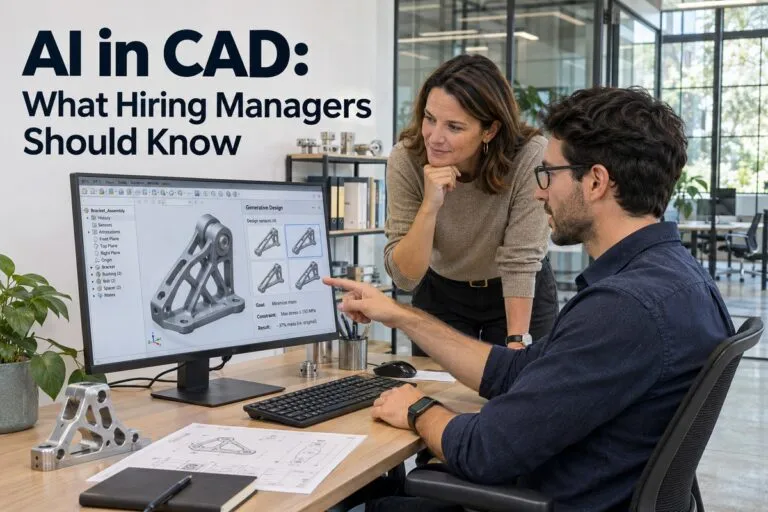
AI in CAD is changing how design teams get work done, and hiring managers feel it first. New tools can draft parts, check models, and speed up simple tasks. But people still decide if a design is right. Here is what you need to know before your next CAD hire.
How Many Companies Use AI in CAD Today
What the Numbers Say
Digital Engineering’s 2026 survey asked design and engineering readers how they use new tools. The results show that AI is growing, but it is not everywhere yet.
- 33% of readers already use AI, generative AI, or machine learning.
- 29% plan to start within the next two years.
- 56% said CAD assistant tools would help their work the most.
- 48% said AI-supported simulation would help the most.
What This Means for Your Hiring
More CAD candidates have tried AI tools than a few years ago. Some use them every day. Others have never touched them.
That means you will see a wide gap between applicants. Ask each person what tools they use and how they use them.
Where AI Helps CAD Teams
Faster Drafting and Repeat Tasks
Many CAD jobs include small tasks that repeat all day. AI can handle some of them. AutoCAD 2026, for example, added AI-enhanced Smart Blocks to help with block work.
Good CAD designers use these tools to save time. They spend that time on harder problems.
Generative Design and Simulation
Generative design software looks at goals and limits, then offers many design options. In the Digital Engineering survey, 30% of readers named it as a top technology for product design in the next five years.
Simulation tools are also getting smarter. They can test ideas faster, so teams can try more options before they build anything.
Automatic Model Checks
AI can flag odd shapes, missing parts, or broken links in a model. This helps a team catch small errors early. It does not replace the person who signs off on the drawing.
Where AI Still Falls Short
Mistakes Need a Human Eye
Some readers in the survey said AI tools still feel unfinished. They said the tools often need heavy setup to fit real company needs.
An AI tool can give you a part that looks right but will not work. A trained designer knows how to spot that.
Company Rules and Standards
AI does not know your drawing standards, your client rules, or your shop limits. It does not know why your team picked one material over another.
Your CAD staff carry that knowledge. It is hard to teach a tool.
Data and Security Risks
Many AI tools run in the cloud. Uploading a client file to the wrong tool can put private designs at risk.
Before your team uses any AI tool, set clear rules:
- Which tools are allowed
- What files can be uploaded
- Who reviews the final work
CAD Skills to Look for in the AI Era
Core CAD Skills Still Come First
A candidate with weak CAD basics will not get better because of AI. Look for strong hands-on skills in the software your team uses, such as:
- AutoCAD
- SolidWorks
- Revit
- Inventor
- Creo
- CATIA
- Siemens NX
Skills That Show a Candidate Can Work With AI
You do not need someone who builds AI tools. You need someone who can use them well. Look for people who:
- Check AI work before they trust it
- Write clear, simple instructions for design tools
- Know basic scripting or macros
- Understand drawing standards and GD&T
- Feel comfortable with cloud files and version control
Questions to Ask in Interviews
Keep your questions simple and real. A few good ones:
- Which AI features have you used in your CAD software?
- Tell me about a time an automated tool gave you a wrong result. What did you do?
- How do you check your own work before it goes out?
- How do you keep client files safe?
Strong candidates will give clear answers with real examples.
How AI Is Changing CAD Job Descriptions
What to Add
Update your job posts to match how your team really works. If your designers use AI features, say so. Name the software and the version.
You can also add a line about reviewing and fixing AI output. This tells good candidates that quality still matters.
What to Avoid
Do not ask for years of experience in tools that are only a year or two old. Do not list ten AI tools as required. This scares off strong people who could learn quickly.
Keep the post short and clear. Match the pay to the real skills you need.
Why AI Cannot Replace Human Recruiters
AI Can Sort Resumes, but It Cannot Judge Fit
Many hiring tools now use AI to rank resumes. That can save time. But a resume only tells part of the story.
A resume will not tell you how a person handles feedback, deadlines, or a tough client. It will not show how they work with your team.
What a Human Recruiter Catches That Software Misses
A good recruiter talks with every candidate. They ask follow-up questions and listen to how someone describes their work. Here is what a real person can do:
- Tell the difference between “used the tool once” and “uses it daily”
- Spot a gap between a resume and real skill
- Learn what a candidate wants in a next job
- Match personality and work style to your team
- Explain your company and role in a way that earns trust
How Tier2Tek Does It Differently
At Tier2Tek, we do direct hire staffing for CAD and IT Support roles. Real recruiters talk to every candidate we send you.
We do not rely on a tool to pick your next hire. We get to know your team, your software, and your goals. Then we find people who fit all three.
That is something no AI tool can do for you.
Smart Ways to Hire CAD Talent Right Now
Move Fast on Strong Candidates
Good CAD designers do not stay on the market long. If you wait weeks to give feedback, they will take another offer.
Set up a clear hiring plan before you post the job. Know who interviews, who decides, and how long each step will take.
Be Clear About Your AI Rules
Tell candidates how your team uses AI. Some people want to work with new tools. Others want less of it. Being open helps you find the right match.
Test Real Skills
Use a short, real task instead of a long quiz. Ask the candidate to fix a model or mark up a drawing. This shows you how they think and how they check their work.
Work With a Recruiter Who Knows CAD
CAD hiring has its own language. A recruiter who knows the software, the file types, and the standards can screen far better than a general job board.
AI in CAD will keep growing, and your team will need people who can use it with good judgment. The best hires combine strong CAD skills, careful habits, and a willingness to work with new tools.
If you are ready to add a CAD designer or IT support pro to your team, Tier2Tek can help you find the right person through direct hire staffing.