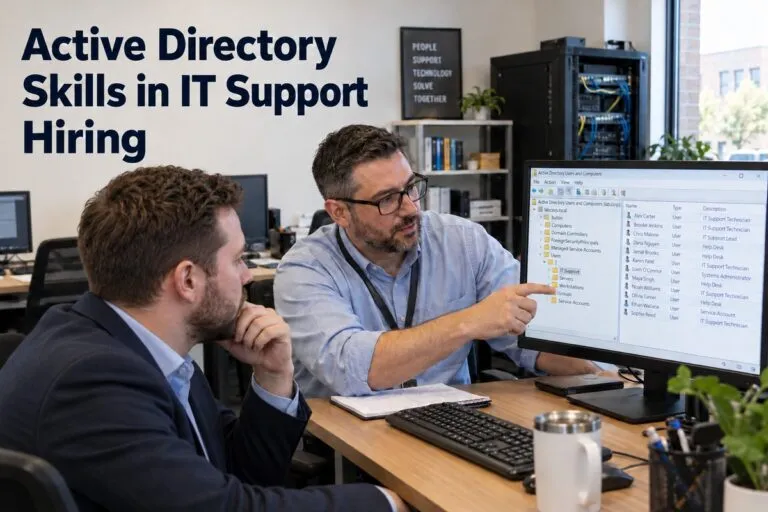
Active Directory skills in IT support hiring can make or break a new hire’s first 90 days. Most offices run on Active Directory every day. Your support team uses it to create accounts, reset passwords, and control who can open what. If a new hire does not know it well, tickets pile up and users wait.
About 95% of Fortune 1000 companies use Active Directory, so it is one of the most common tools on an IT support resume. Many candidates list it. Fewer can actually use it well. This guide helps hiring managers and HR teams tell the difference.
Core Active Directory Skills Every IT Support Hire Should Have
Every help desk or desktop support candidate should know the basics. These tasks make up a large part of the daily workload.
User Account Management
A good candidate can create, edit, disable, and delete user accounts without help. They know how to use Active Directory Users and Computers (ADUC). They also follow the steps for new hires and for people who leave the company.
Look for experience with:
- Setting up new employee accounts
- Moving users between departments
- Disabling accounts the same day someone leaves
- Keeping user records clean and up to date
Password Resets and Account Unlocks
This is the task your team will do most. Gartner found that password resets already made up about 40% of help desk calls. Forrester estimates each reset costs about $70 in IT time and resources. source: Bleeping Computer
A strong hire does more than click “reset.” They check who is asking first. They also find out why an account keeps locking, since a bad, saved password on a phone or old laptop is a common cause.
Groups and Permissions
Groups control who can reach shared folders, printers, and apps. A candidate should know the difference between security groups and distribution groups. They should also know to give access by group instead of by person.
This keeps things neat. It also lowers the risk of someone having more access than they need.
Active Directory Skills That Set Strong Candidates Apart
Basic skills get a candidate in the door. These skills show someone can grow past the help desk.
Group Policy Basics
Group Policy lets IT push rules to many computers at once. That includes password rules, screen lock times, and mapped drives. A candidate who understands Group Policy can fix problems that affect a whole team, not just one user.
Ask if they have ever fixed a policy that did not apply the way it should. Their answer will tell you a lot.
DNS, DHCP, and Network Knowledge
Active Directory depends on DNS. When DNS breaks, logins break too. Candidates who know how DNS and DHCP work can find the real cause faster.
They will also fix problems like these with less back and forth:
- A computer that cannot join the domain
- A user who cannot log in from a new location
- A device that loses its network connection after a reboot
PowerShell Scripting
PowerShell saves time. A candidate who can run simple scripts can update many accounts at once, pull reports, and find inactive users. You do not need a developer. You need someone who is not afraid of the command line.
Hybrid Setups With Microsoft Entra ID
Many companies now use both on-site Active Directory and Microsoft Entra ID (the new name for Azure AD). Candidates with hybrid experience know how accounts sync between the two. They can also handle multi-factor authentication (MFA) problems, which are very common in hybrid offices.
Active Directory Skills by Experience Level
You should not expect the same skills from every hire. Match your needs to the level of the role.
Entry-Level Help Desk
For junior roles, look for:
- Password resets and account unlocks
- Basic user and group changes in ADUC
- Clear notes in tickets
- A good attitude about learning
Hands-on lab or school experience counts here. A home lab is a great sign.
Mid-Level Support
For mid-level roles, add:
- Group Policy troubleshooting
- Joining and removing computers from the domain
- Basic DNS and DHCP checks
- Simple PowerShell tasks
These hires should solve most tickets without escalating them.
Senior Support and Sysadmin
Senior candidates should handle the bigger problems. Look for:
- Domain controller health checks
- Replication and trust issues
- Security and audit work
- Hybrid setups with Entra ID
- Writing scripts that save the team hours
Interview Questions to Test Active Directory Skills
Resumes do not tell the whole story. Use these questions to see what a person really knows.
Questions to Ask
- “A user says their account keeps locking. What do you check first?”
- “How do you set up a new employee account?”
- “What is the difference between a security group and a distribution group?”
- “A computer will not take a Group Policy. What steps do you take?”
- “How do you remove access when someone leaves?”
Listen for clear steps. Good candidates explain their process in order.
Hands-On Tests
A short skills test works well. Give the candidate a lab or a screen share. Ask them to create a user, add the user to a group, and unlock an account. This takes about 15 minutes. It also shows how they work under light pressure.
Red Flags
Watch out for these signs:
- They cannot explain what they did, only that they “used Active Directory”
- They give admin rights to fix every problem
- They skip identity checks on password resets
- They never mention documentation or ticket notes
How Strong Active Directory Skills Save Money
A skilled hire pays for themselves. Weak skills cost real money.
Faster Tickets and Fewer Escalations
If a support tech can fix account and access problems alone, senior staff stay free for bigger projects. Users get back to work sooner. Every password reset that takes five minutes instead of twenty adds up over a year.
A bad hire does the opposite. They escalate easy tickets, make mistakes with permissions, and slow the whole team.
Better Security
Active Directory controls who can get into your systems. Small mistakes can leave doors open. Examples include old accounts that stay active or users with too much access.
A careful tech cleans up accounts and follows the rules. That protects your data and helps with audits.
Tips for Writing a Better Job Post
Clear job posts bring in better candidates. Vague posts bring in a flood of resumes that do not fit.
Be Specific About the Tools
Do not just write “Active Directory experience.” Say what you need. For example, “Create and manage user accounts, reset passwords, and manage groups in Active Directory.” Add Group Policy, PowerShell, or Entra ID if the job needs them.
List Helpful Certifications
Certifications are not required, but they can show effort. CompTIA A+, Network+, and Microsoft certifications are all good signs for IT support roles. Mark them as “preferred” so you do not turn away strong people with real-world experience.
Finding people with proven Active Directory skills takes time, and a bad hire costs more than a slow search. Tier2Tek works with companies on direct hire IT support staffing and screens candidates for the hands-on skills your team uses every day. If you are building out your help desk, we can help you find people who are ready to work from week one.