
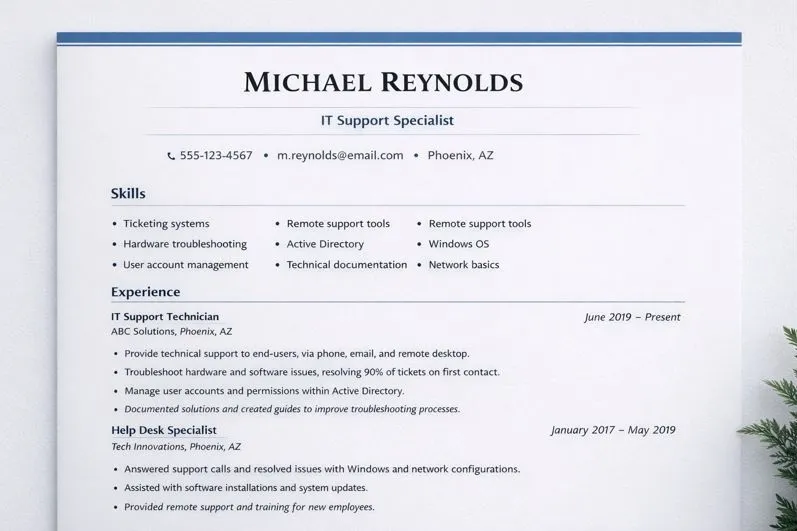
How to write a resume that gets interviews depends on how clearly and quickly your resume communicates who you are and what you can do. Hiring managers scan resumes fast, so structure, relevance, and simplicity matter more than design trends or lengthy explanations.
Below is a step-by-step breakdown of how to structure a resume that hiring managers can easily scan and understand.
1. Choose the Right Resume Template
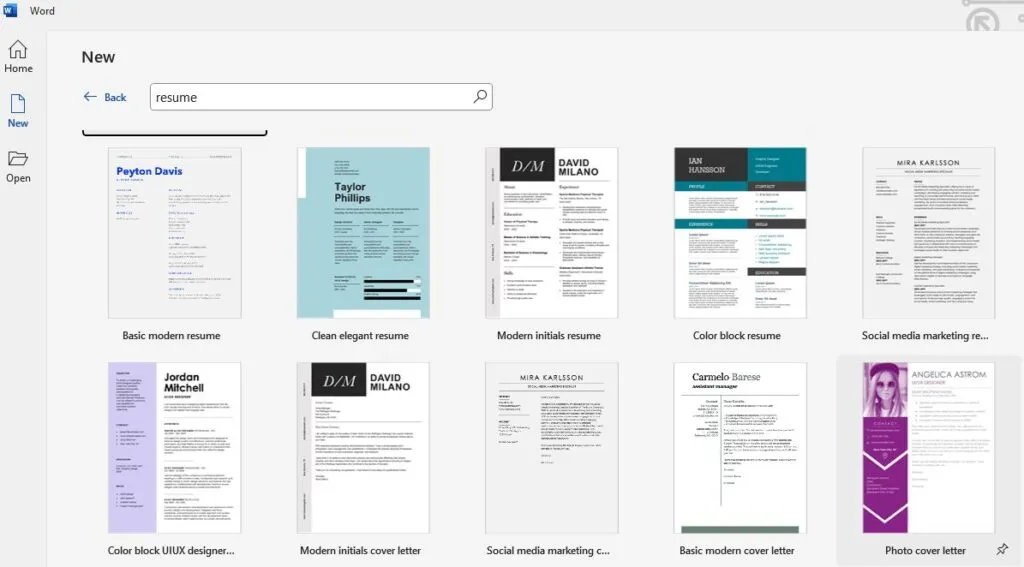
The right resume template sets the foundation for everything else. A clean, professional layout makes your resume easier to read and immediately signals professionalism.
In Microsoft Word, click New, type resume into the template search, and select a simple, professional template. Avoid templates with heavy graphics, colors, or columns.
A good template should:
- Use standard fonts
- Have consistent spacing
- Be easy to scan
- Look professional in black and white
The goal is clarity, not creativity.
2. Place Contact Information at the Top
Your contact information should be placed at the very top of the resume and centered. This ensures hiring managers can immediately see who you are and how to contact you.
Your name should be the most prominent text on the page.
3. Add a Job Title Under Your Name
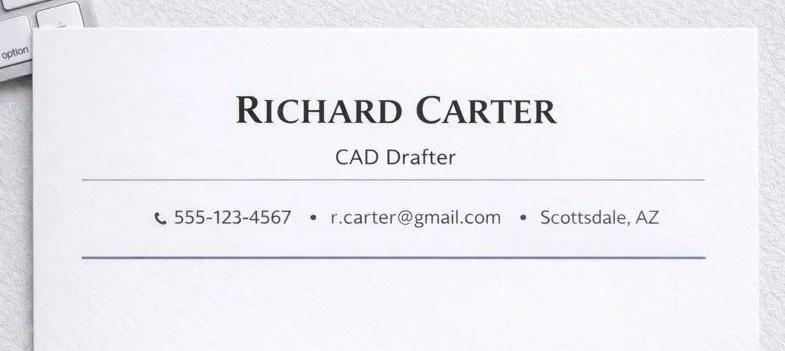
Placing a job title directly under your name tells hiring managers what you do within seconds. This helps them immediately connect your resume to the role they are hiring for.
Use a title that matches the position you are applying for.
Example of Proper Contact Information
John Martinez
IT Support Specialist
Phoenix, AZ
(602) 555-0198
john.martinez@gmail.com
This format is clean, professional, and easy to read at a glance.
4. Skip the Professional Summary
A resume already acts as a quick pitch. Hiring managers do not have time to read a paragraph summary when reviewing large numbers of resumes.
Skipping the professional summary allows them to get straight to your skills and experience. This makes your resume faster to scan and more effective during initial reviews.
5. Include a Skills Section With Relevant Skills
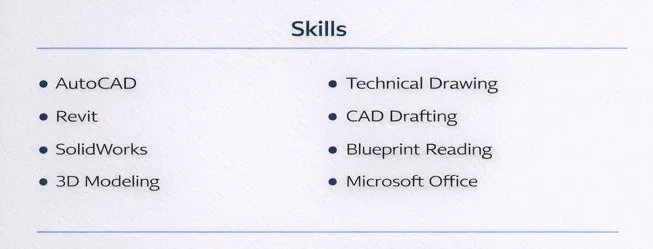
After your contact information, your next goal is to pull the hiring manager’s attention straight to your skills and what you bring to the table. A clean skills section makes it easy for them to quickly see if you’re a good fit for the role.
Example Skills Section for IT Support
| • Ticketing systems • Hardware troubleshooting • User account management • Technical documentation | • Remote support tools • Active Directory • Windows operating systems • Network basics |
Example Skills Section for CAD
| • Plot plans • AutoCAD • Technical drawings • Design revisions | • Blueprint interpretation • Layer management • Redline updates • Construction documents |
Pro Tip:
If you are unsure which skills to include, search Google for top skills for your job title and review several job postings for the same role. List only the skills you actually have and that appear repeatedly in those listings. This helps your resume align with what employers are actively looking for without adding unnecessary or generic skills.
6. Experience Section
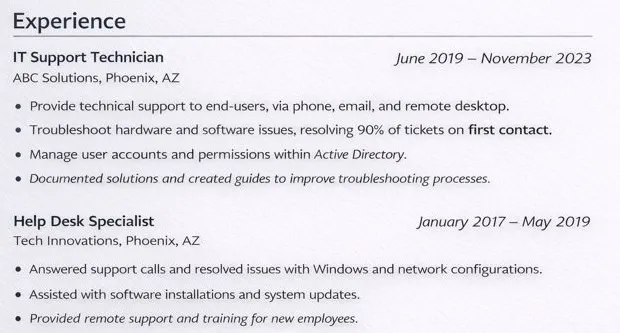
The experience section should clearly show where you worked, how long you worked there, and what you did. Each role should include the company name, job title, and years of employment.
Under each role, include three to four bullet points. Bullets should be short, clear, and easy to scan.
Example: IT Support Experience
ABC Technologies – IT Support Specialist
2024 – 2026
- Provided technical support for end users via phone, email, and ticketing system
- Troubleshot hardware, software, and network connectivity issues
- Created and maintained technical documentation for common issues
- Managed user accounts and permissions in Active Directory
Example: CAD Drafter Experience
XYZ Engineering – CAD Drafter
2023 – 2026
- Created plot plans and technical drawings using AutoCAD
- Updated designs based on engineer feedback and project requirements
- Maintained drawing accuracy and version control
- Assisted with design revisions and documentation
These bullets clearly communicate responsibilities without unnecessary detail.
7. End With Education and Certifications
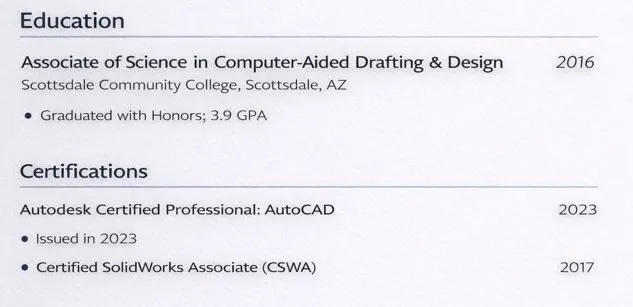
Education and certifications should be placed at the end of the resume unless you are a recent graduate.
Example Education and Certifications Section
Associate of Applied Science in Information Technology
Maricopa Community Colleges
Certifications:
CompTIA A+
AutoCAD Certified Professional
Keep this section factual and concise.
Keep the Resume to One Page
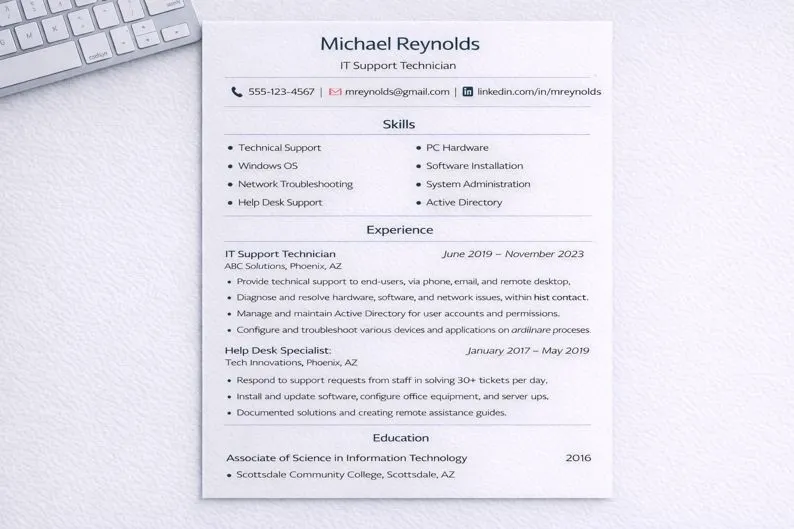
For most job seekers, a one-page resume is ideal. A shorter resume is easier to read and encourages hiring managers to review the entire document. It also shows that you are organized and able to clearly get your point across without unnecessary information.
You can always provide more detail during a phone screen or interview. The resume’s job is to get you that call.
Review Formatting, Grammar, and Spelling
Before submitting your resume, review it carefully for formatting consistency, grammar, and spelling errors.
Check:
- Font sizes and spacing
- Bullet alignment
- Section consistency
- Typos and grammar mistakes
A clean, error-free resume shows professionalism and attention to detail.
What Not to Put on Your Resume
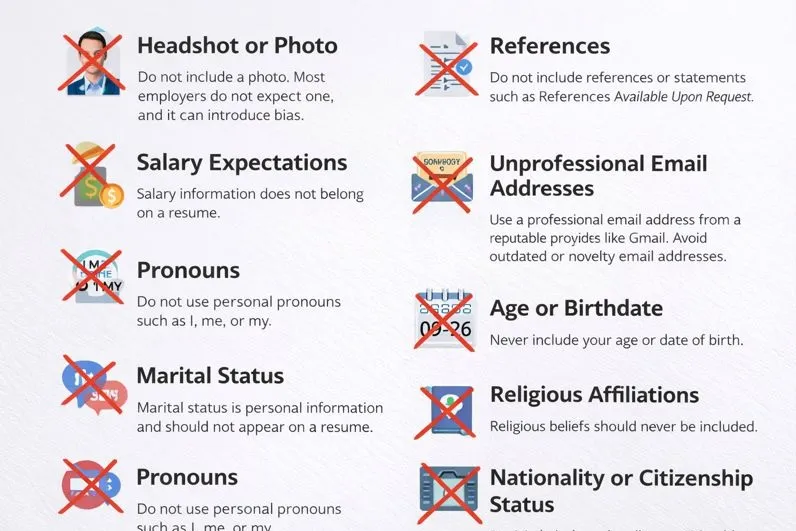
Headshot or Photo
Do not include a photo on your resume. Most employers do not expect one, and in many cases, photos can introduce unconscious bias during the hiring process. A resume should be evaluated based on qualifications and experience, not appearance.
Unless you are applying for a role where a photo is specifically requested, it should always be left out.
References
Do not include references or phrases such as References Available Upon Request. Employers already know they can ask for references if they need them. Including this information takes up space that could be used to highlight your skills or experience.
Save references for later in the hiring process when they are specifically requested.
Salary Expectations
Salary expectations should never appear on a resume. Compensation discussions happen later in the hiring process, usually during interviews or offer negotiations.
Listing salary information too early can hurt your chances by limiting flexibility or removing you from consideration before a conversation even begins.
Unprofessional Email Addresses
Your email address should look professional and current. Use a reputable provider such as Gmail and keep the address simple and name-based.
Avoid outdated, novelty, or personal email addresses that may make you appear unprofessional or out of touch with modern workplace standards.
Pronouns
Do not use personal pronouns such as I, me, or my. Resumes should be written in a concise, neutral style that focuses on actions and responsibilities rather than personal statements.
Removing pronouns keeps bullet points direct and easier to scan.
Age or Birthdate
Never include your age or date of birth on your resume. This information is not relevant to your ability to perform a job and can raise concerns about age bias.
Employers only need to know whether you are legally eligible to work, not your age.
Marital Status
Marital status is personal information and should not appear on a resume. Whether you are single, married, or have children has no bearing on your professional qualifications.
Including personal details can distract from your experience and skills.
Religious Affiliations
Religious beliefs or affiliations should not be listed on a resume. Hiring decisions should be based on professional ability, not personal beliefs.
This information is unnecessary and unrelated to job performance.
Political Views
Political opinions or affiliations should never be included on a resume. These details are not relevant to your qualifications and may unintentionally influence hiring decisions.
A resume should remain neutral and focused solely on professional experience.
Nationality or Citizenship Status
Do not list your nationality or citizenship unless it is specifically required for work authorization purposes. Employers are typically only concerned with whether you are legally eligible to work in the country.
If work authorization is relevant, it should be addressed in a simple and professional way.
Content reviewed and published by Tier2Tek Staffing Editorial Team .